


LANMASTER field terminated optical connector, SC/UPC
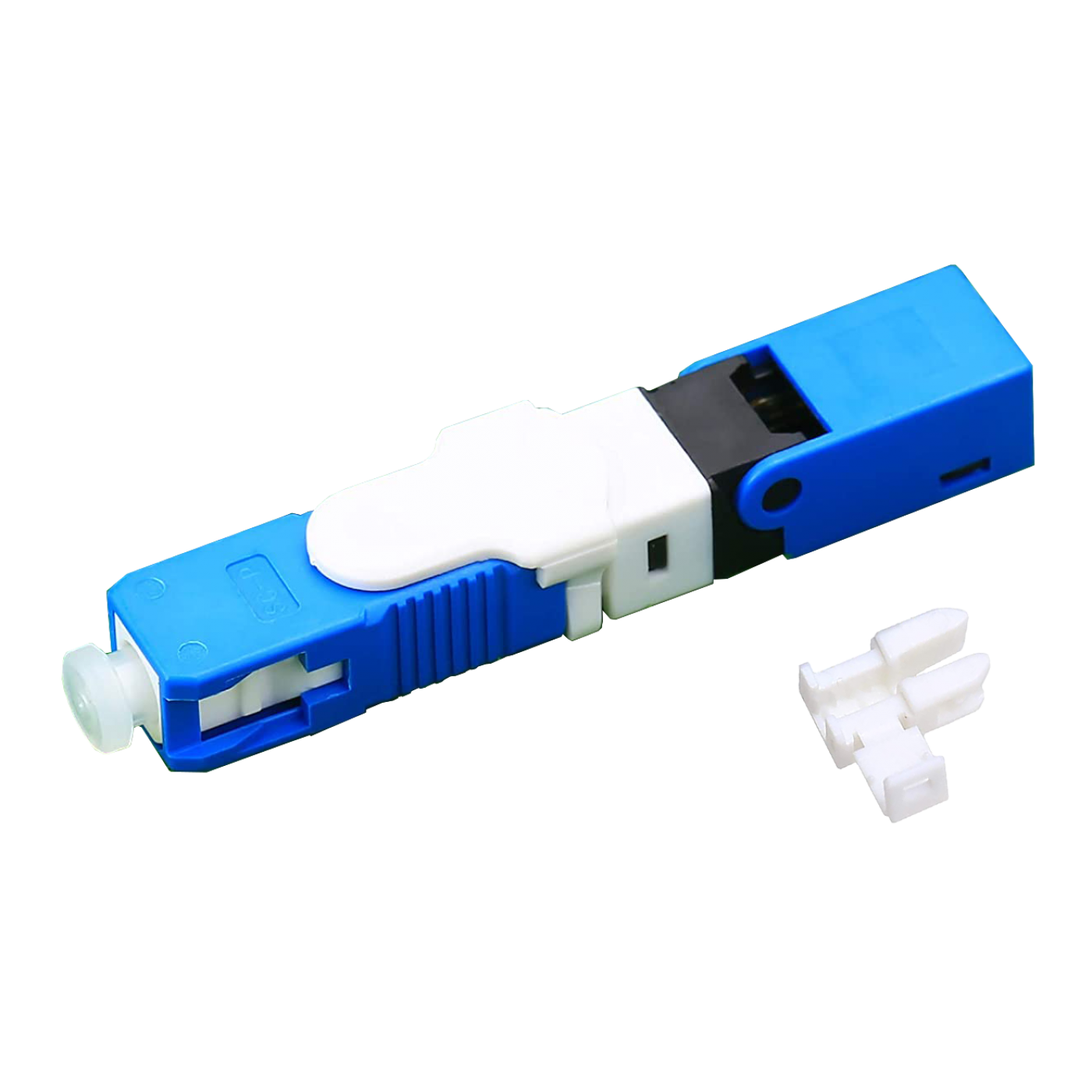
Field terminated optical connectors allow fast connection of single-mode optic fibers used in FTTH networks. The connector is installed on an optic fiber without the use of a splice machine and does not require polishing of the end of the ferrule.
The connector is a pre-assembled appliance. A piece of optic fiber polished at the factory is glued into the ceramic ferrule. A cleaved fiber is inserted from the back of the connector and fixed mechanically. The cavity at the junction of the fibers is filled with immersion gel. The refractive index of the immersion gel is close to the refractive index of the core of the optic fiber, due to which the transmission of the optical signal is carried out with minimal losses at the interface.
Field installed connectors are recommended as a temporary solution; when working with mechanical connectors, you should monitor the quality of fiber cleavage.
Specifications:
| Cable Scope | 3.0 x 2.0 mm |
| Size | 51*9*7.55mm |
| Fiber Diameter | 125μm ( 652 & 657 ) |
| Coating Diameter | 250μm |
| Mode | SM |
| Operation Time | about 15s(exclude fiber presetting) |
| Insertion Loss | ≤ 0.3dB(1310nm & 1550nm) |
| Return Loss | ≤ -50dB |
| Success Rate | >98% |
| Reusable Times | >5 times |
| Tighten Strength of Naked Fiber | >5 N |
| Tensile Strength | >30 N |
| Temperature | -40 ~ +85 C |
| On-line Tensile Strength Test (20 N) | IL ≤ 0.3dB |
| Mechanical Durability(500 times) | IL ≤ 0.3dB |
| Drop Test(4m concrete floor, once each direction, three timestotal) | IL ≤ 0.3dB |


Assembly Instructions
LANMASTER field terminated optical connector, SC/UPC LAN-FMC-SC/UPC
-
Prepare the tools
Prepare the cleaver, fiber stripper, 3.0 × 2.0 mm drop cable, CleanWipes, LAN-FMC-SC/UPC field-installable connector, and LAN-FMC-GR assembly pad.
-
Mark the stripping length
Mark the stripping length on the cable using the demonstrated guide.
-
Strip the cable jacket
Use the stripper to remove the cable jacket up to the mark.
-
Insert the cable into the assembly pad
Insert the cable through the opening at the rear of the assembly pad.
-
Strip the fiber coating
Press down the hinged section of the assembly pad and strip the fiber coating.
-
Inspect the fiber
Inspect the fiber for damage.
-
Clean the fiber
Make sure the coating has been removed. Clean the fiber with CleanWipes.
-
Close the fiber holder cover
Place the cable in the fiber holder and close the cover.
-
Place the fiber holder in the assembly pad
Place the fiber holder into the LAN-FMC-GR assembly pad.
-
Cleave the fiber
Place the holder in the cleaver and cleave the fiber.
-
Handle fiber safely
Follow fiber handling safety precautions. Carefully remove the offcut and lift the holder out of the cleaver.
-
Prepare the connector
Prepare the field-installable connector and the fiber holder for insertion.
-
Insert the holder into the connector
Press the latch and insert the fiber holder into the connector body until it reaches the stop.
-
Check the fiber bow
Check for the characteristic fiber bow shown in the demonstration.
-
Close the cover
Close the connector cover and remove the retaining clip.
Disassembly
-
Open the rear cover
Open the rear cover of the connector by carefully releasing it on both sides.
-
Fit the release stop
Fit the release stop onto the connector body as shown.
-
Withdraw the holder
Tilt the cable and holder to the right and withdraw the holder from the connector.
-
Prepare for reinstallation
Remove the holder cover. The assembly is ready for reinstallation.
Package dimensions and weight
Single item
| Product code | Unit | length × width × height (mm) | Weight (kg) |
|---|---|---|---|
| LAN-FMC-SC/UPC | pcs | 6 × 7 × 7 | 0.006 |