


Patch Cord Toolkit
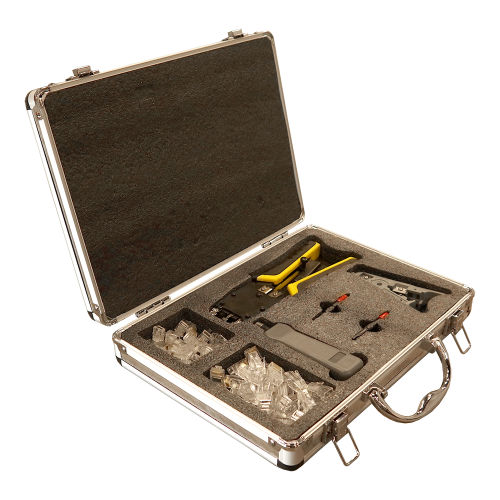
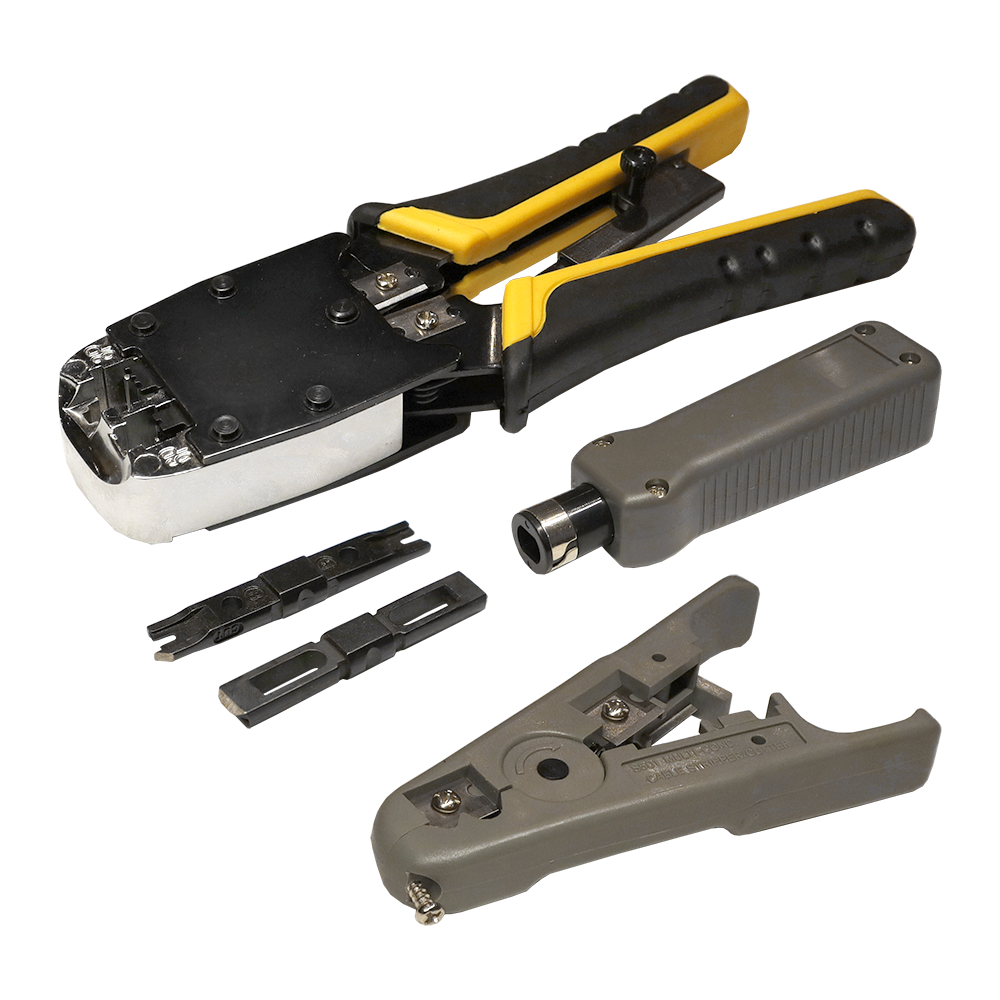
The toolkit is intended to make phone and data patch cords, and twisted pair cable termination on patch panels, sockets, and cross-connect blocks.
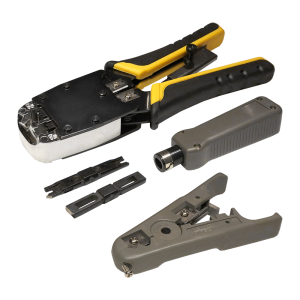
The tools included in the kit allow cutting and stripping cables, terminating cables on IDC connectors, and crimping RJ-12 and RJ-45 plugs.
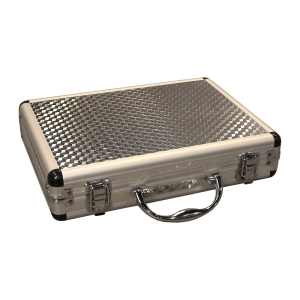
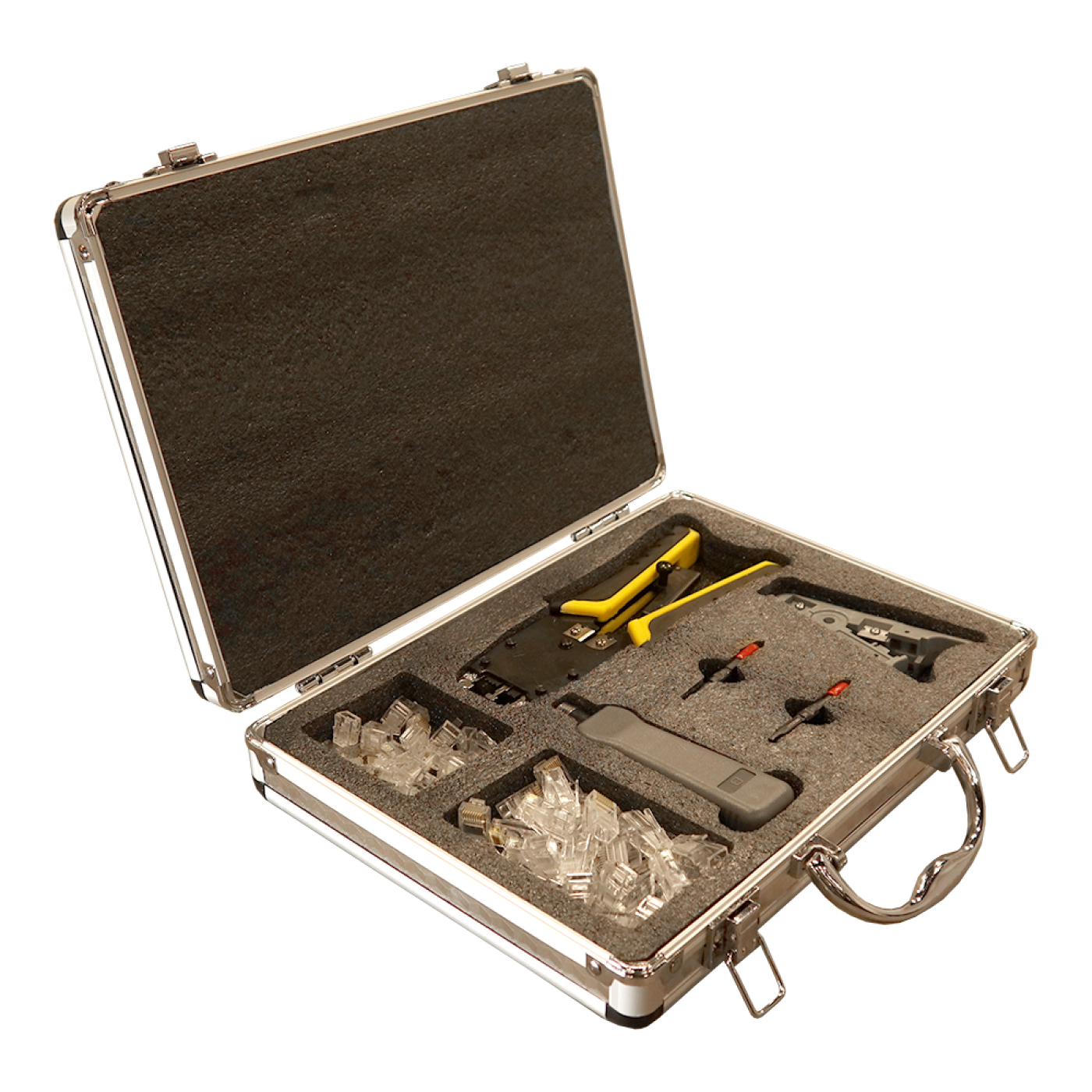
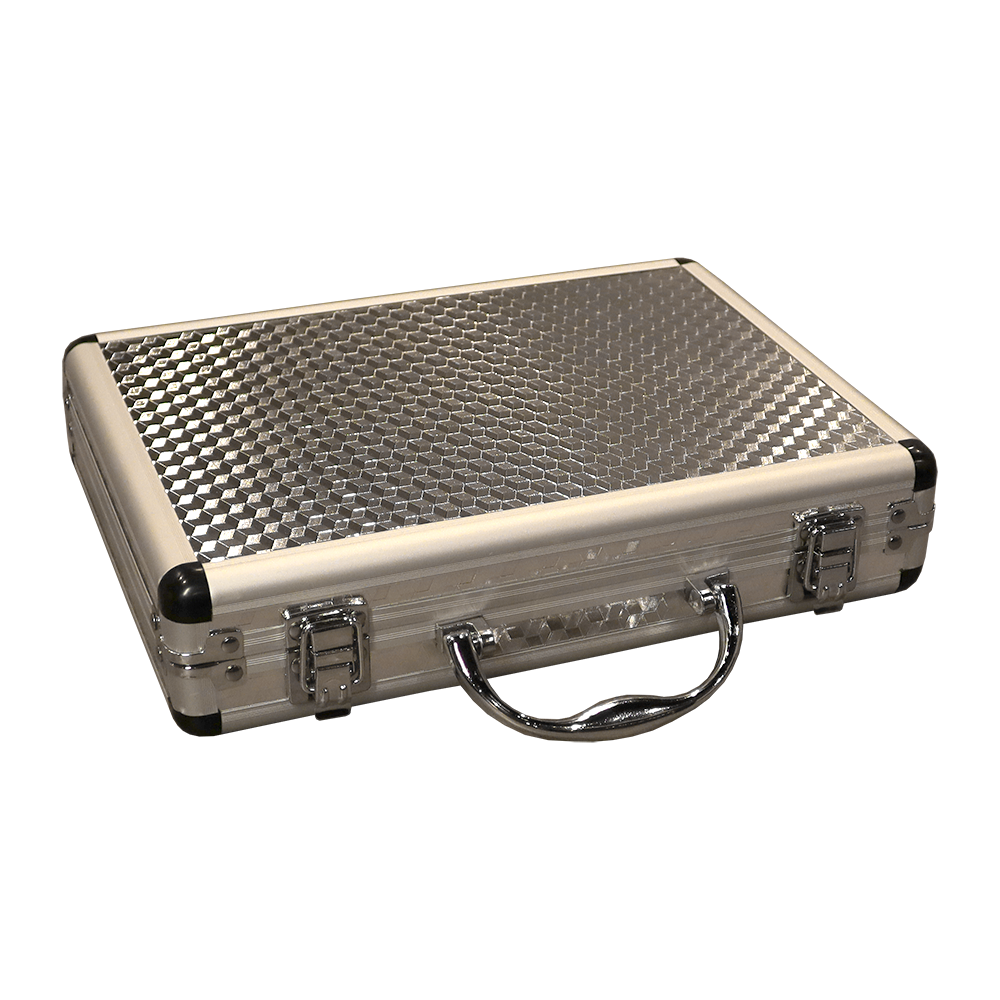
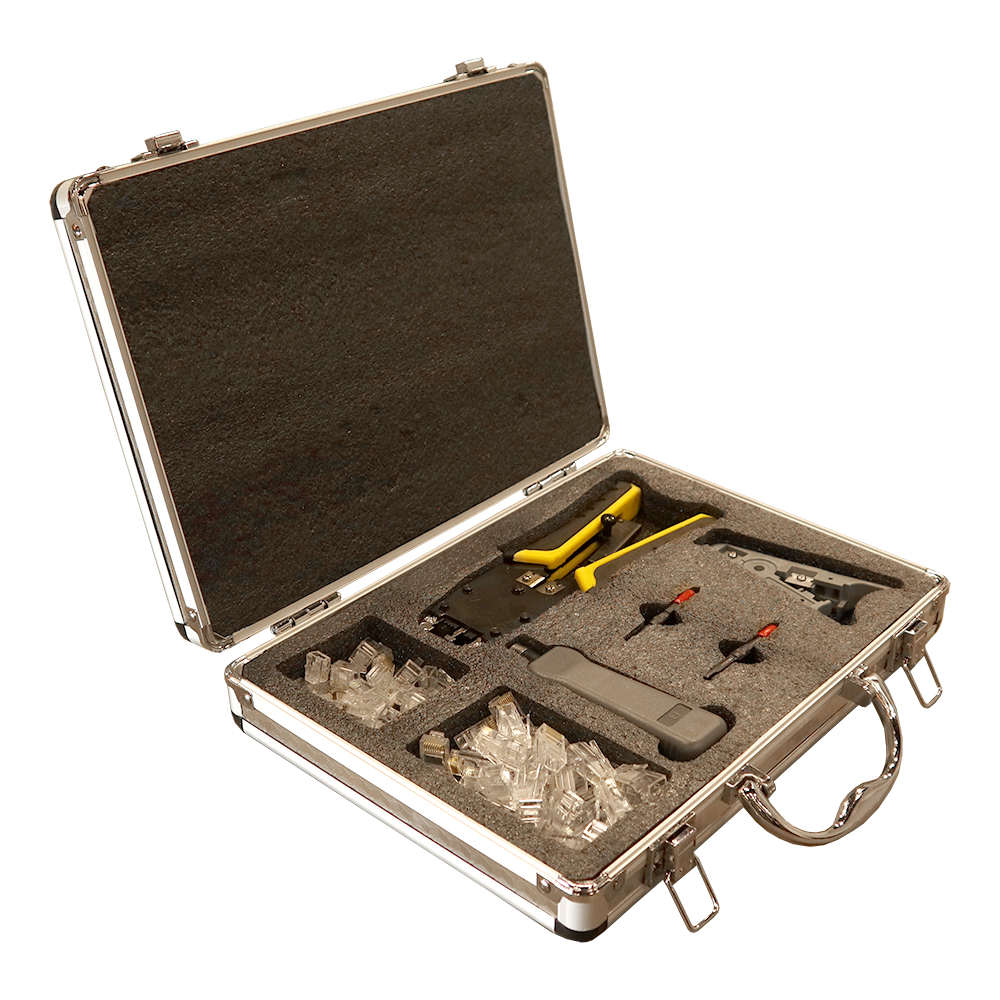
The tools are supplied in an aluminum case with compartments for easy storage and carrying.
The kit includes:
- RJ-12 and RJ-45 plug crimping tool, top crimp hole,
- Cable striping tool,
- Impact punch-down tool for interchangeable termination blades,
- 110 Termination blade with cutter,
- 66 Termination blade with cutter,
- RJ-45 8P8C Cat. 5e plug - 30 pieces,
- RJ-12 6P6C Cat. 3 - 30 pieces.
Frequently asked questions and answers
What is LAN-NT-TK/PATCH designed for?
The kit is for making telephone and data patch cords and terminating twisted-pair cables on patch panels, outlets and cross-connect blocks.
Which tools are included?
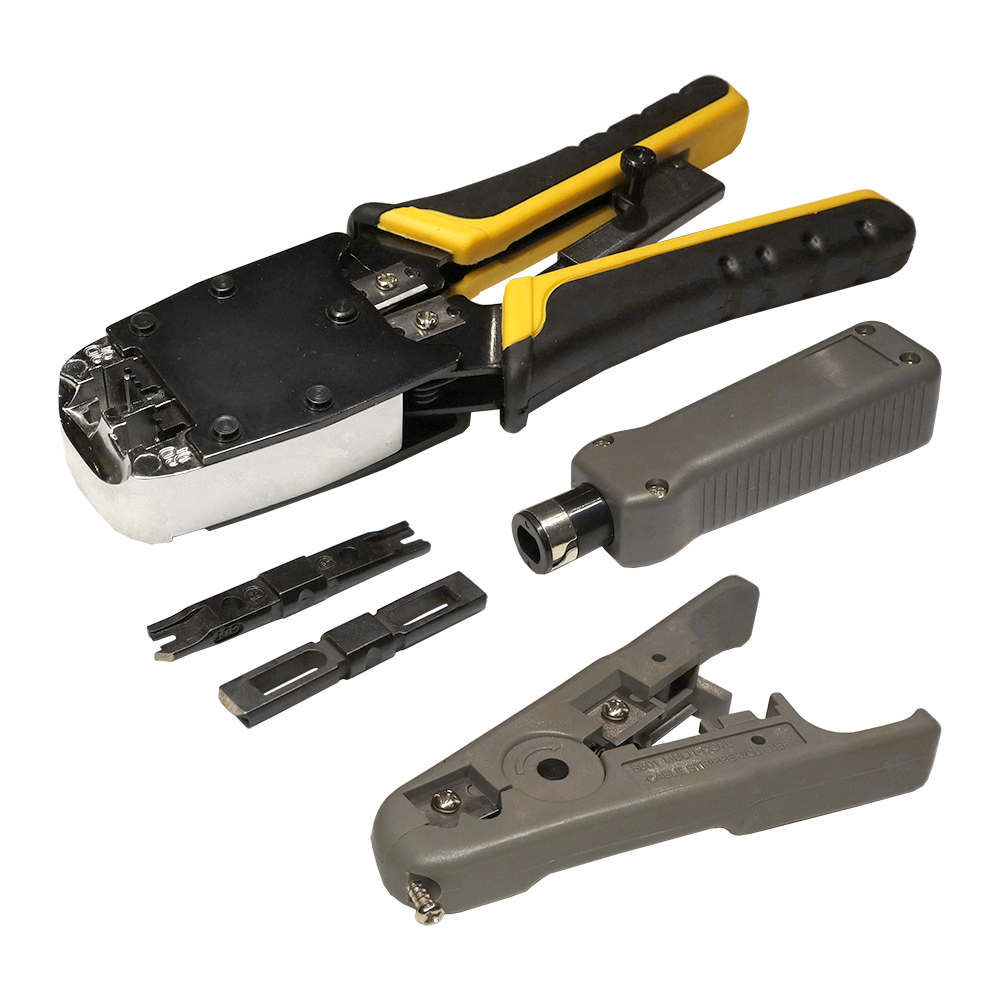
An end-action RJ-12/RJ-45 crimping tool, a cable stripper, an impact punch-down tool and two cutting termination blades: 110 and 66.
Which plugs are included, and how many?
The listed contents include 30 Cat. 5e RJ-45 8P8C plugs and 30 Cat. 3 RJ-12 6P6C plugs.
How is the kit supplied?
The tools come in an aluminum case with fitted compartments for storage and transport.
What operations can the kit perform?
Cable cutting and stripping, crimping RJ-12 and RJ-45 plugs, and terminating conductors on compatible IDC contacts.
Can the kit be used on outlets and patch panels?
Yes. Select the punch-down blade to match the product's IDC contacts and follow its termination instructions.
How do I choose between the 110 and 66 blades?
Match the blade to the contact block: a 110 blade for 110 contacts and a 66 blade for 66 contacts. Do not select a blade merely because it looks similar.
Should individual wires be stripped before IDC termination?
Individual wire insulation is normally left in place for IDC termination: the contact displaces it as the conductor is seated. Follow the module or panel instructions.
How should the cutting blade be oriented?
Place the cutting side toward the excess wire end. Check its orientation before punching down so the blade does not cut the wire on the cable side.
How should a conductor be positioned before punching down?
Place one conductor in its assigned slot according to the markings. Align the blade with the contact and terminate as instructed; do not strike an empty slot or adjacent component.
Should I use T568A or T568B for RJ-45?
Use the scheme specified by the project. A straight-through patch cord uses the same scheme at both ends; verify conductor order before crimping.
Can the tool crimp every RJ-45 plug?
Compatibility depends on the plug and crimping tool design. Check tool requirements separately for pass-through, shielded and other specialized plugs.
Will the included RJ-45 plugs fit any twisted-pair cable?
Check the plug's compatibility with solid or stranded conductors, their diameter and the cable construction. A Cat. 5e designation alone does not confirm compatibility with every cable.
Can this be treated as a Cat. 6 kit?
The included RJ-45 plugs are specified as Cat. 5e. For a Cat. 6 link, select suitable cable and components, verify tool compatibility and test the completed link.
Is a cable tester included?
No, a cable tester is not included. Obtain one separately to check finished patch cords and installed links.
What should I check after crimping or IDC termination?
Check cable retention, conductor condition and the selected wiring scheme, then test the connection. A wiremap check does not replace link category certification.
How should I use and store the tools?
Remove scraps after use, inspect the blades and return each tool to its compartment in the case. Store the kit in a dry place and replace damaged blades or tools.
Can I use this kit on shielded cable (STP/FTP)?
The kit's stripping and crimping tools can also be used on shielded cable. Select shielded RJ-45 plugs separately and maintain shield contact with the plug body per its instructions — the kit's included plugs are not shielded.
How should I store spare plugs between jobs?
Keep plugs in a dry place, protected from dust and mechanical damage to the contacts. Inspect the contacts and plug body for deformation before use.
Assembly Instructions
Patch Cord Toolkit LAN-NT-TK/PATCH
-
Select the crimper die
Choose the die that matches the connector: RJ-45 or RJ-12. Check that the connector sits straight in the die before crimping.
-
Crimp the connector
Position the connector in the matching die and close the handles. The ratchet mechanism completes the crimping stroke.
-
Adjust the cable stripper
Set the blade depth for the cable's outer diameter before stripping. Make a test cut and check that the conductors and shield remain undamaged.
-
Select the punch-down blade
Fit a 110- or 66-type blade to match the contacts being terminated. Make sure the blade is locked in place before use.
-
Use the impact tool
When terminating twisted-pair cable on a patch panel, outlet or cross-connect, place the conductor in the IDC contact and press the tool straight down until its impact mechanism fires. This clip shows the tool mechanism, not a complete contact termination.
Package dimensions and weight
Single item
| Unit | length × width × height (mm) | Weight (kg) | Volume (m3) |
|---|---|---|---|
| pcs | 300 × 210 × 60 | 1.4 | 0.00378 |