


LANMASTER, U/UTP, Category 5e, RJ45 keystone jack, 180-degree, 45-degree, unshielded, white


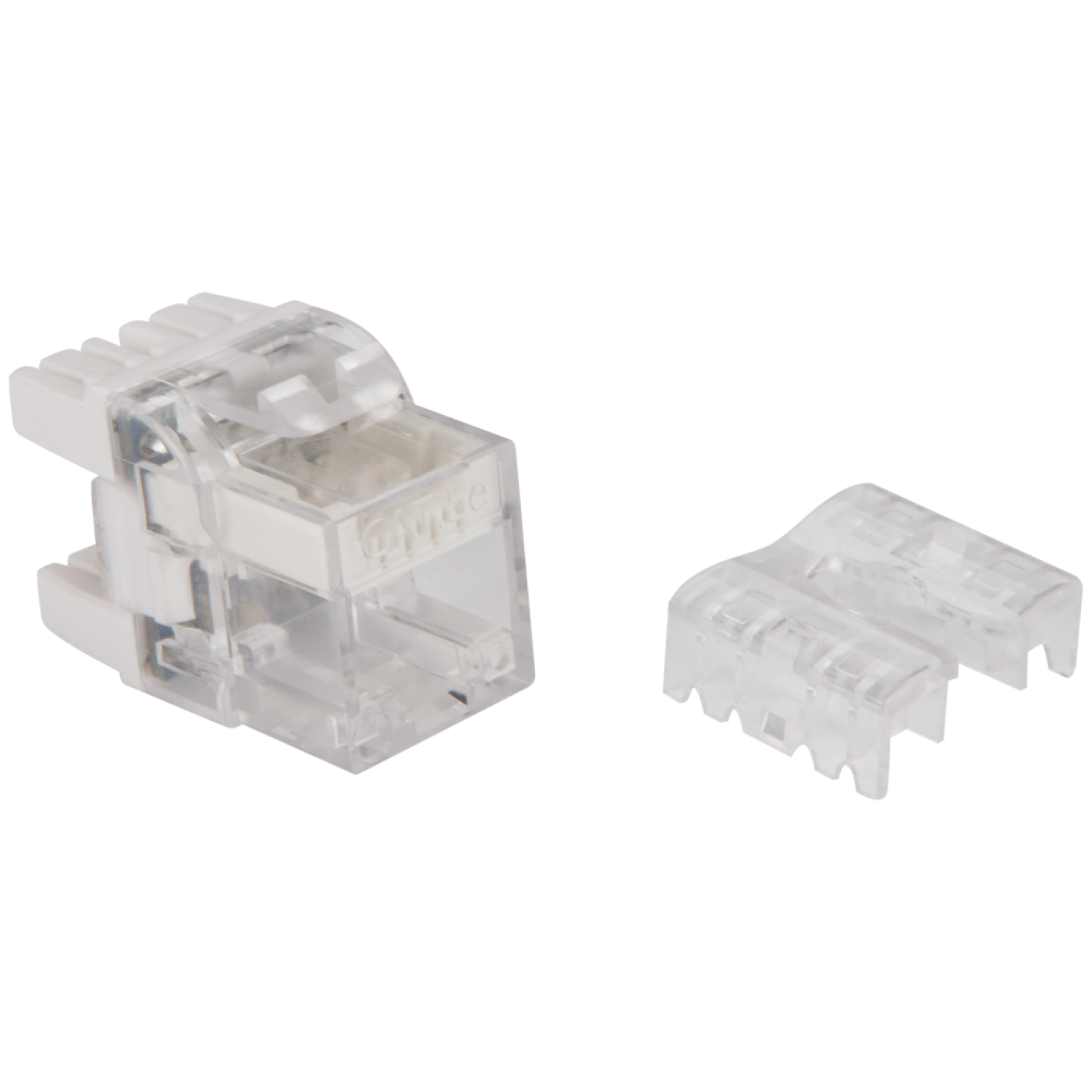

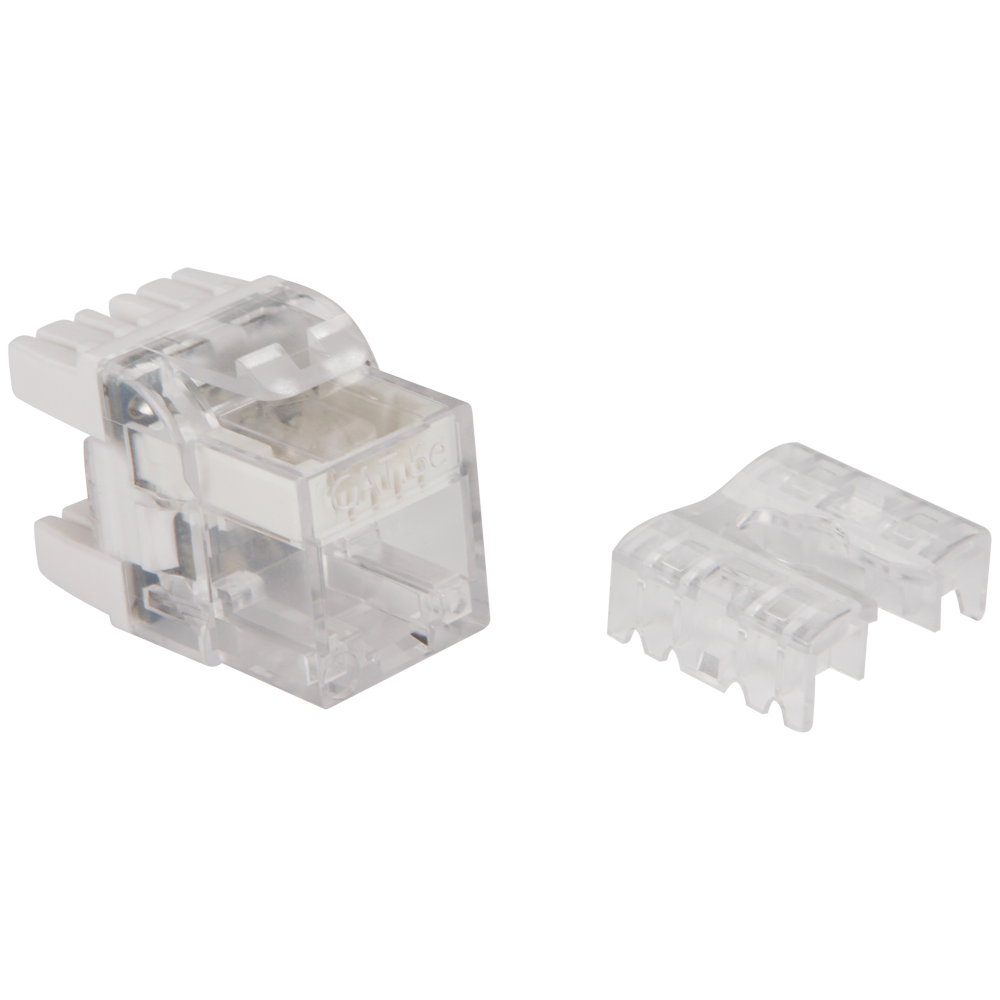
The module can be used to complete unshielded telecommunication sockets installed in wall trunks, in a wall box, also for installation in modular patch panels (see the compatibility items).
Category 5e compliant.
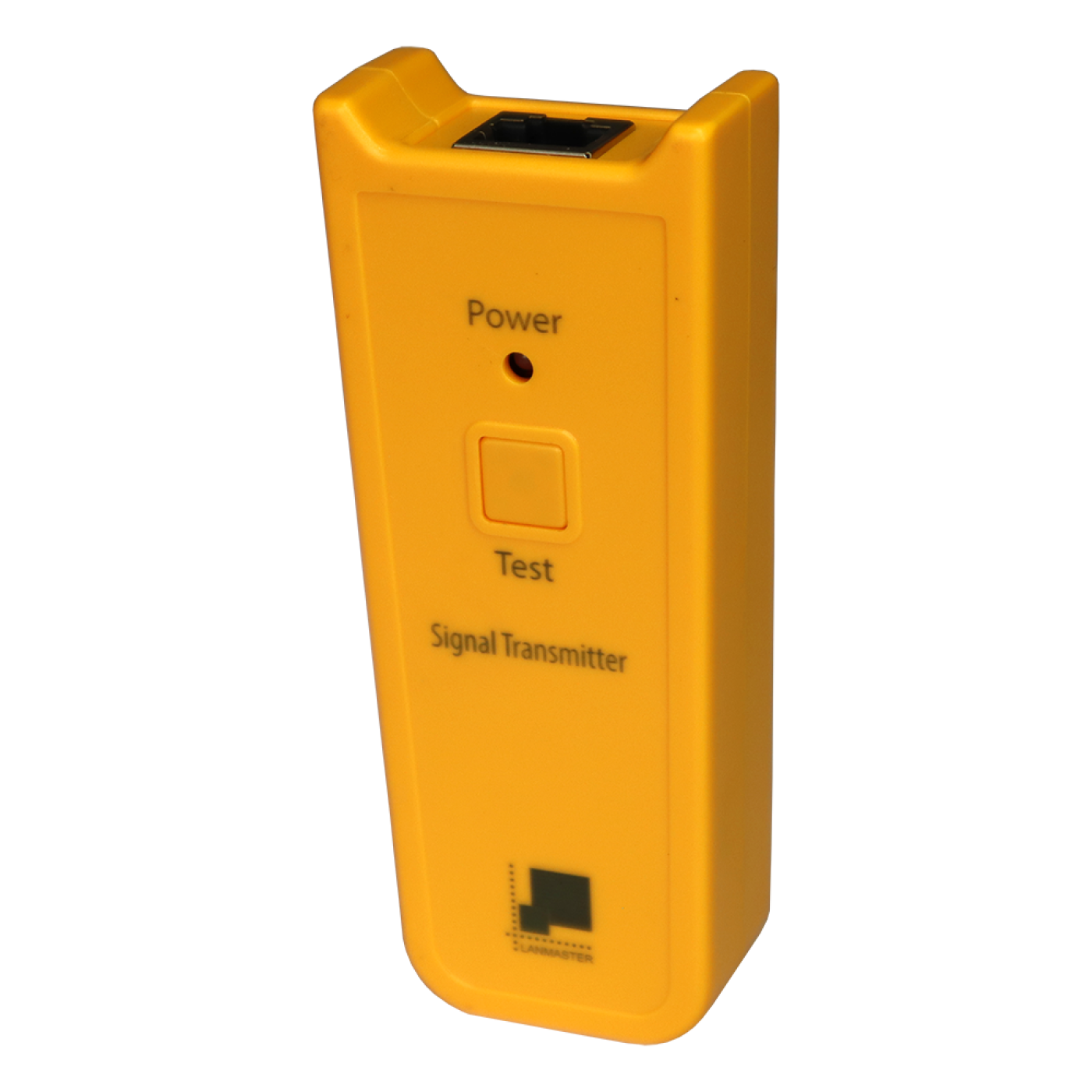
A distinctive feature of this module is the presence of a built-in LED, which, when the LAN-PPi-CHKTOOL transmitter is connected at the other end of the line, will be highlighted in green. Thus, the modules can be used to search for sockets and determine the connection of equipment.

The module has a standard Keystone form-factor and can be used not only in LANMASTER socket adapters, but also in socket adapters from other manufacturers.
There is an eight-pin RJ-45 socket on the front side of the module, and there is a block for eight contacts of the IDC110 type on the back side, located at an angle of 180˚ to the front surface of the module. The insulation displacement contact method is used (IDC) to terminate incoming cable.
There is a wiring diagram for the cable conductors between the IDC pins in accordance with the T568A and T568B wire map for ease of installation.
Most frequently asked questions and answers
What is the LAN-OKi45U5E/180 Keystone module used for?
The Keystone module with an RJ-45 socket (8P8C, eight-contact connector) is used for equipping unshielded telecommunication outlets installed in a box, on a wall or in a wall, as well as in modular patch panels (see the compatibility table). The module has the standard Keystone size and suits products of other manufacturers of this format. It complies with the requirements of category 5e. Features: the IDC110 contact block is at 180° to the front surface; an LED is built into the body and lights green when the LAN-PPi-CHKTOOL transmitter is connected at the far end of the line.
Which speed does the LAN-OKi45U5E/180 module support?
The module complies with category 5e and is intended for links for Gigabit Ethernet (1000BASE-T) networks. The link category is determined by its weakest component, so the cable, patch panels and cords must be of the same or a higher category.
How do I terminate a cable in the LAN-OKi45U5E/180 Keystone module?
Strip the cable sheath, arrange the conductors according to the diagram printed on the module (T568A or T568B; use one scheme along the whole link) and punch them down to the IDC (insulation displacement contact) contacts with a 110-type punch-down tool. The IDC contacts cut through the insulation, so the conductors need not be stripped. Fit the protective insert if it is included: it holds the conductors and protects them from being pulled out when the cable is tensioned.
How does the LED indicator of the LAN-OKi45U5E/180 module work?
When the LAN-PPi-CHKTOOL transmitter is connected at the far end of the line, the LED of the module lights green. This helps to find the required port and to determine the equipment connection. Without the transmitter the indicator does not light.
Which patch panels and outlets is the LAN-OKi45U5E/180 module compatible with?
The module is installed in Keystone-format modular patch panels and outlets. The compatibility of specific panels is given in the compatibility table on the product page; the module width corresponds to the standard Keystone size.
What should I do if a link with the LAN-OKi45U5E/180 module is unstable?
Check that the conductors are terminated by the same scheme (T568A or T568B) at both ends of the link, that there is no open or short circuit and that the pairs are not untwisted beyond the length required for termination. Check the link with a tester, redo the termination if necessary and make sure the category of all components is not lower than required.
Assembly Instructions
LANMASTER, U/UTP, Category 5e, RJ45 keystone jack, 180-degree, 45-degree, unshielded, white LAN-OKi45U5E/180
-
Built-in LED indicator
An LED indicator is built into the keystone jack for locating and checking connections.
-
Prepare the transmitter
Use the LAN-PPi-CHKTOOL port-locating transmitter to check the connection.
-
Check the green indication
Connect the transmitter at the far end of the link. The jack LED should light green.
-
Strip the cable jacket
Remove 3-4 cm of the outer cable jacket without damaging the conductors, then separate the twisted pairs.
-
Route and terminate the conductors
Arrange the conductors according to the T568B color code, terminate them in the IDC contacts, and trim the excess ends.
-
Lock the protective cover
Fit the protective cover and close it until the latches are fully engaged.
-
Check both linked ports
Connect the transmitter and verify that both linked port LEDs and the tester indicator light up.
-
Constant mode
In constant mode, the indicators remain steadily lit.
-
Blinking mode
Press and hold the transmitter button to use blinking mode.
-
Install the jack
The slim transparent Keystone housing fits telecommunications outlets and modular patch panels.
-
Identify an active port
When the far end is connected to an active equipment port, the tester indicator lights red.
Package dimensions and weight
Single item
| Product code | Unit | length × width × height (mm) | Weight (kg) | Volume (m3) |
|---|---|---|---|---|
| LAN-OKi45U5E/180 | pcs | 110 × 90 × 10 | 0.01 | 0.000099 |
Product Codes (1)
-
LANMASTER, U/UTP, Category 5e, RJ45 keystone jack, 180-degree, 45-degree, unshielded, white