


TWT, F/UTP, Category 5e, twisted-pair cable, 4-pair, 305 m
TWT, F/UTP, Category 5e, twisted-pair cable, 4-pair, 305 m. Product for LANMASTER copper structured cabling systems. Use in twt cables applications according to the project design and product specifications.
Most frequently asked questions and answers
What is the TWT-5EFTP-OUT cable used for?
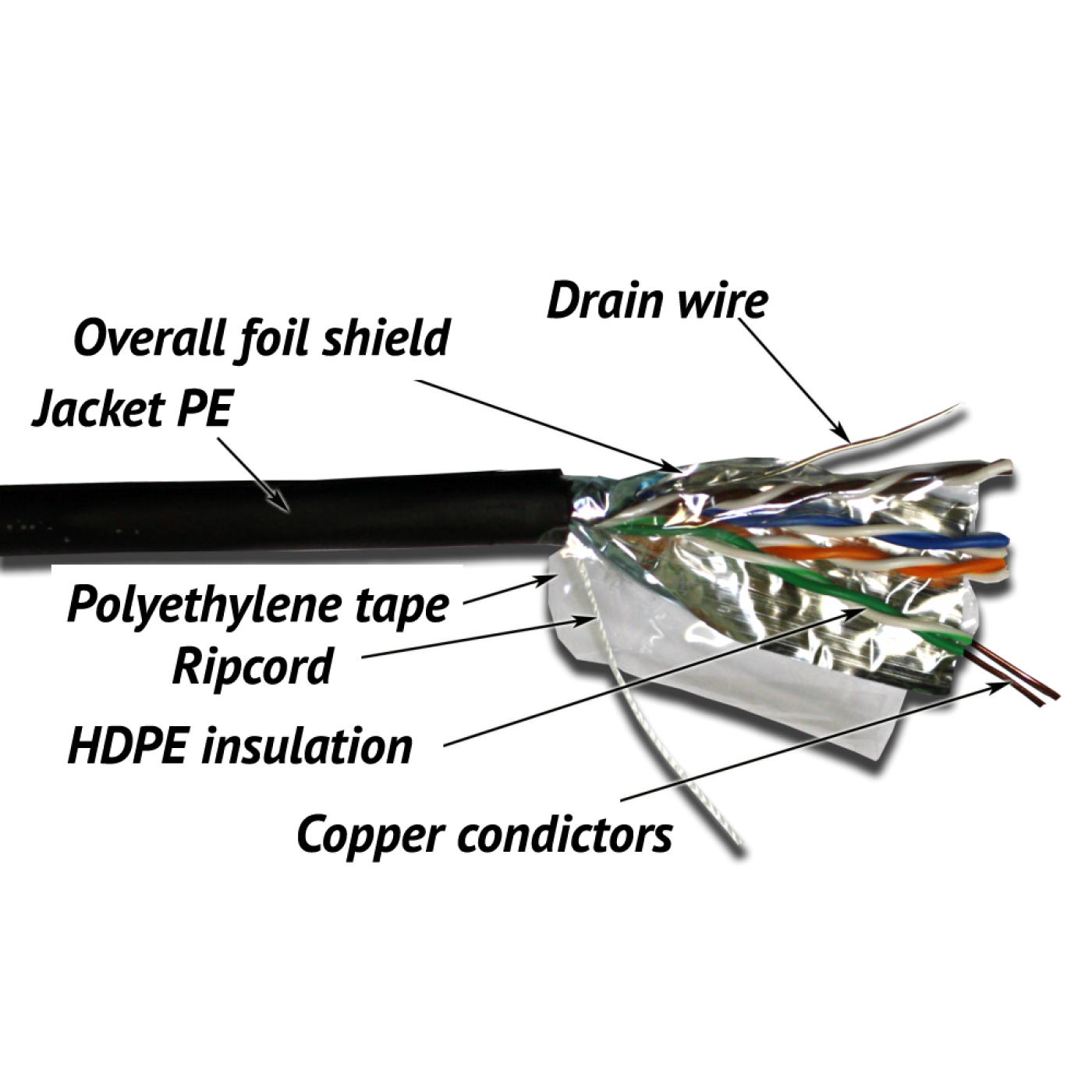
TWT-5EFTP-OUT is a screened (overall foil screen) category 5e cable made of 4 pairs of solid copper conductors. The cable is used for horizontal cabling of a structured cabling system (SCS): from the cross-connect equipment in the telecommunications room to the work-area outlets, and for connecting IP cameras, wireless access points and other network equipment. The conductor size is 24 AWG.
What is the TWT-5EFTP-OUT cable made of and what are its features?
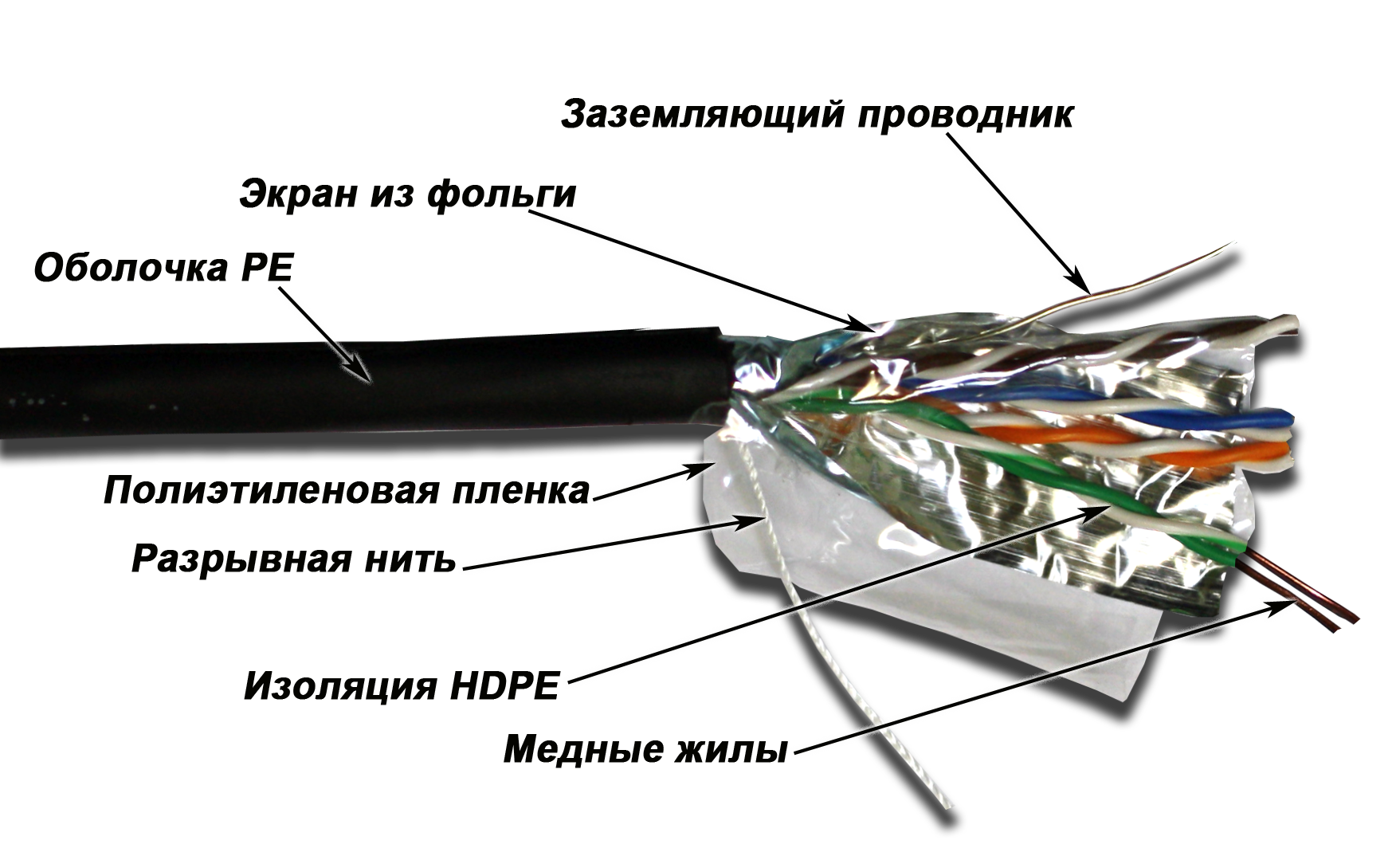
Each conductor is insulated with high-density polyethylene (HDPE); two conductors are twisted into a pair, and all pairs are enclosed in a common sheath. The cable has an outdoor polyethylene (PE) sheath. The construction also includes: sequential metre marks on the sheath. The operating temperature range of the cable is from −40 to +75 °C.
Which network and link length does the TWT-5EFTP-OUT cable support?
Category 5e is rated up to 100 MHz and Gigabit Ethernet (1000BASE-T) networks. For links up to 100 m, the ISO/IEC 11801 and TIA-568 standards allow a permanent link of up to 90 m plus patch cords totalling up to 10 m. Do not exceed these values, otherwise the link may run at a reduced speed or with errors.
Which cable category should I choose: 5e, 6 or 6A?
Category 5e or 6 is enough for Gigabit Ethernet at work areas. Choose category 6A if 10 Gbit/s (10GBASE-T) is required over the whole link length, and category 6 if you need extra headroom in frequency performance. All components of the link (cable, outlets, patch panels, patch cords) must be of the same or a higher category: the link performance is determined by its weakest element.
How do I ground the screen of the TWT-5EFTP-OUT cable?
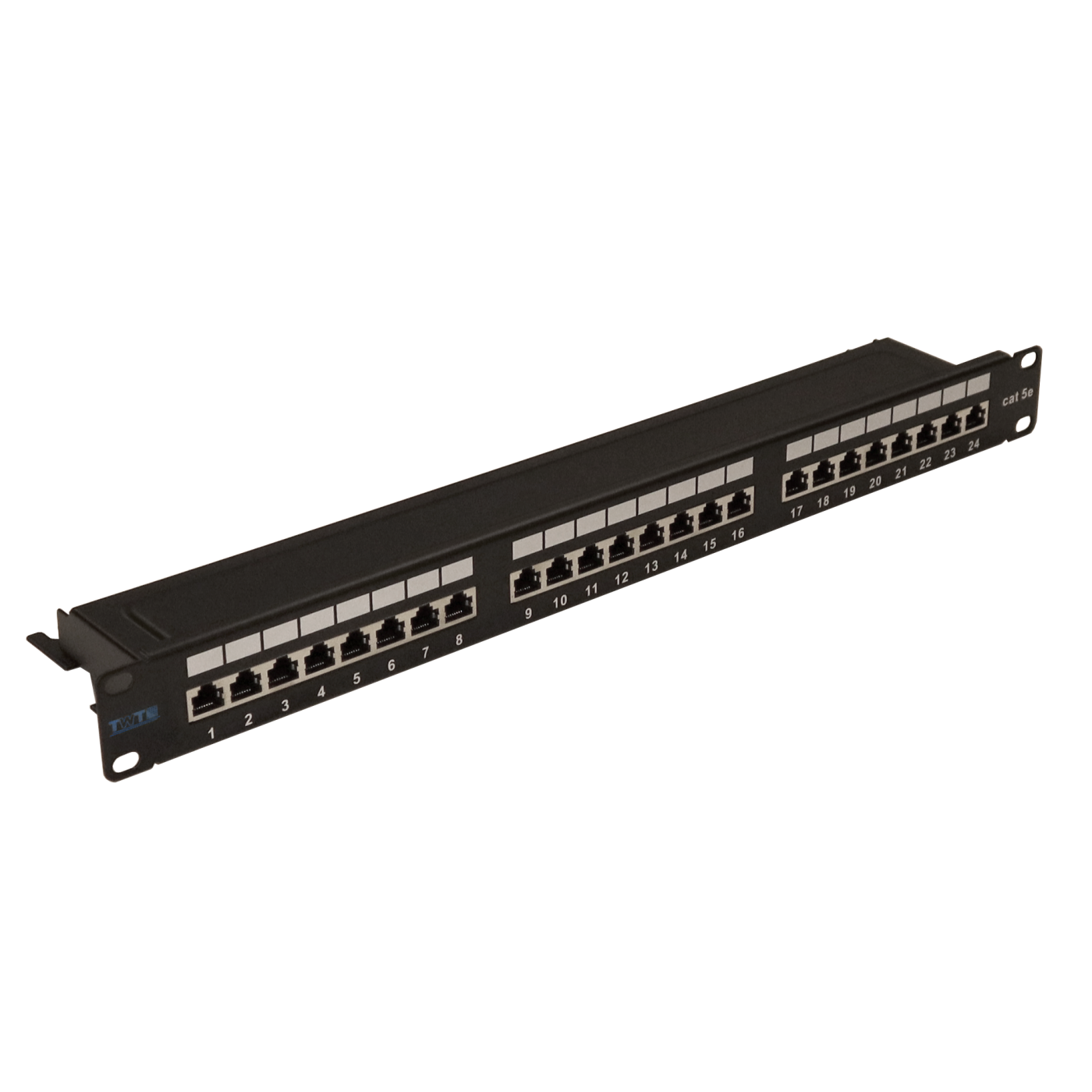
Connect the cable screen to ground through shielded outlets and a grounded patch panel; in the telecommunications cabinet bond the panel to the earthing bar. Use shielded components along the whole link: cable, modules, patch panels and patch cords. Do not leave the screen ungrounded and do not connect it to earthing points with a potential difference between them: current will flow through the screen and it will become a source of noise instead of protection. Follow the building grounding design.
Can the TWT-5EFTP-OUT cable be installed outdoors and inside a building?
The cable is intended for outdoor installation: the polyethylene sheath protects the conductors from external influences and sunlight. Inside a building, route only the entry section and connect the cable to a cross-connect or an outlet; for indoor installation use a cable with a PVC (polyvinyl chloride) or LSZH (low smoke zero halogen) sheath that meets the fire-safety requirements of the site. When installing in the ground, place the cable in a protective duct. The operating temperature range of the cable is from −40 to +75 °C.
Can the TWT-5EFTP-OUT cable be used for Power over Ethernet (PoE)?
The cable conductors are copper, so the link is suitable for Power over Ethernet (PoE). At PoE++ power levels, cables heat up in dense bundles, so in such cases choose a cable of a higher category with larger conductors and avoid very tight bundles.
How do I terminate the TWT-5EFTP-OUT cable in an outlet or patch panel?
Strip the outer sheath over the minimum length without damaging the conductor insulation. Untwist the pairs only as far as needed for termination and arrange the conductors according to the colour scheme on the module or panel (T568B or T568A, identical along the whole link). Punch the conductors down with a punch-down tool for 110 or Krone contacts and trim the excess. Connect the cable screen to the screen of the module or panel and ground it. Do not terminate with a screwdriver: it damages the contacts and the insulation.
Can a patch cord be made from the TWT-5EFTP-OUT cable?
For patch cords that are bent and switched frequently, use ready-made patch cords or a cable with stranded conductors. The solid conductors of this cable break when bent repeatedly. If you need a short piece for a one-off temporary link, use RJ-45 connectors designed for solid conductors and a crimping tool.
How do I install the TWT-5EFTP-OUT cable correctly?
Unwind the cable without loops or kinks and do not exceed the permitted pulling force. Observe the minimum bend radius and do not tighten cable ties so that the sheath is crushed. Do not run the cable close to and in parallel with power lines; cross them at an angle close to 90°. Leave a service loop at the outlet and in the cabinet.
How do I unwind the TWT-5EFTP-OUT cable from its package and how do I store it?
Pull the cable from the centre of the box without forming loops or figure-eights and hold the box in place. Store the cable in a dry room in its factory packaging and protect the cable ends from moisture and contamination.
Why does a link on the TWT-5EFTP-OUT cable run at 100 Mbit/s instead of 1 Gbit/s?
Typical causes are an excessive length, poor termination of the conductors, damage to a pair inside the cable (crushing, kink, impact), components of a lower category, or a wrong conductor order in the connector. Check the link with a tester: a simple continuity test does not reveal degraded parameters. Redo the termination at the problem end and replace the damaged cable section.
Package dimensions and weight
Single item
| Unit | length × width × height (mm) | Weight (kg) | Volume (m3) |
|---|---|---|---|
| reel | 430 × 430 × 250 | 11.5 | 0.046225 |