


Fiber Optic Cleaning Tools for 2.5 mm Based Connectors
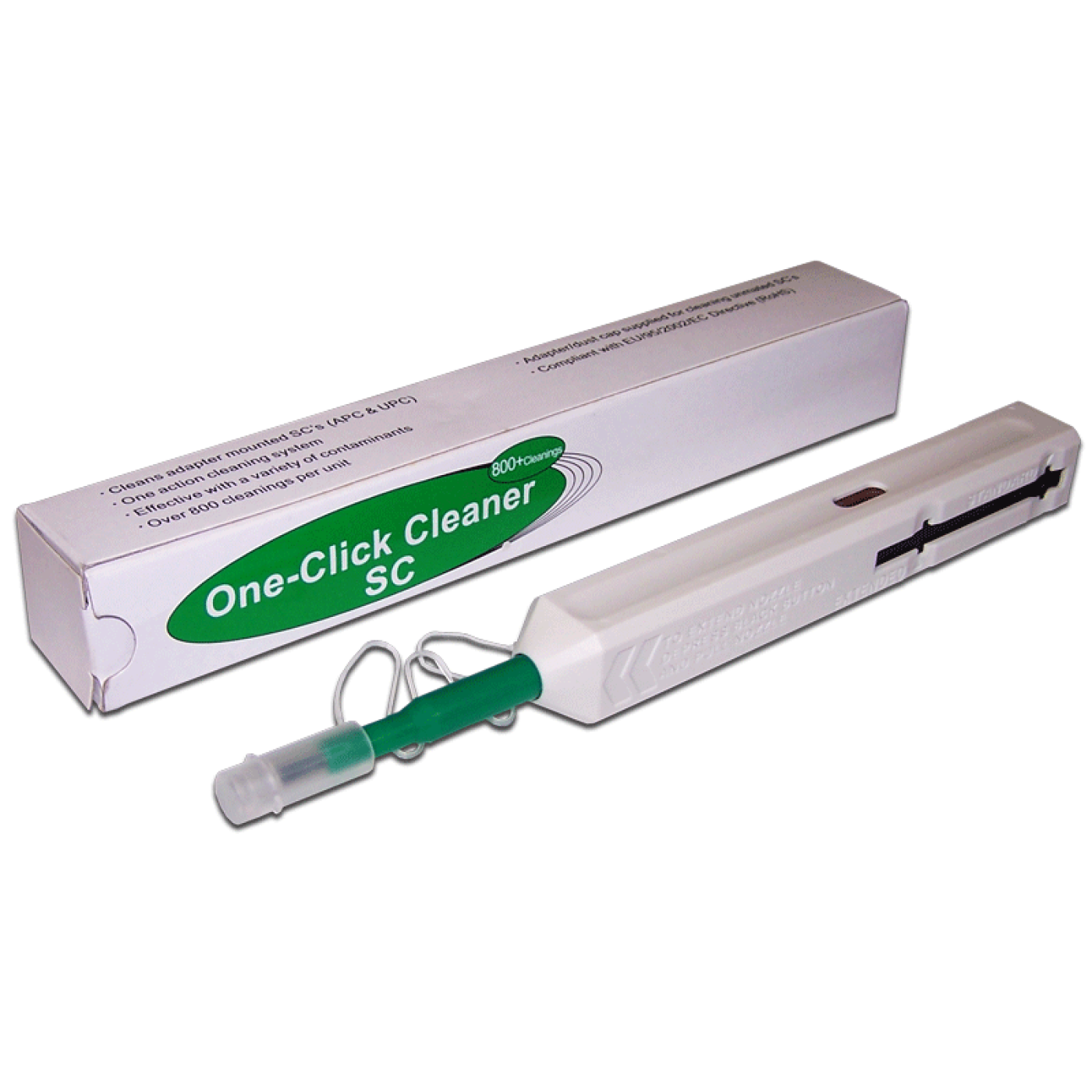
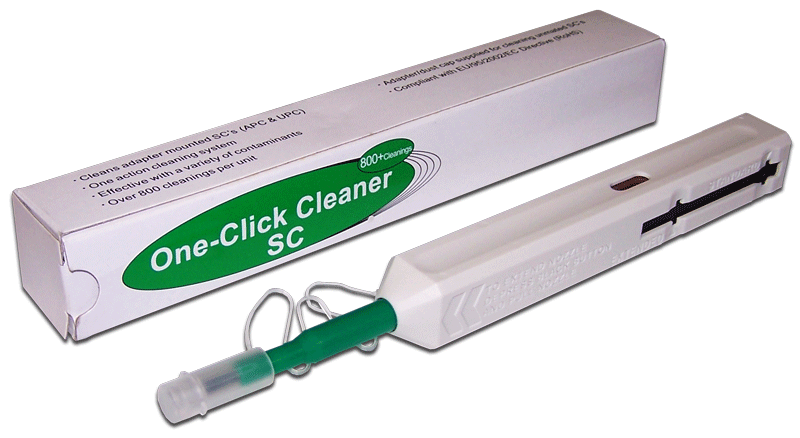
The tool is designed to clean fiber SC/FC/ST adapters with a ferrule diameter of 2.5 mm, or the end faces of optical connectors without removing them from the adapter. Avoids the time-consuming procedure of dismantling adapters for cleaning the connectors installed in them.
The tool cartridge is designed for 800 cleaning cycles. The tool is equipped with a readiness indicator. White indicator - tool is ready to use. Completely red indicator - the cartridge is empty and needs to be replaced.
The tool has two operating modes. Standard cleaning and advanced (thorough) cleaning.
Select the operating mode by moving the mode switcher to the desired position.
The cleaning process is carried out in one pass of the rod.
Supplied in an individual package, also includes user's manual in English.
Key Features:
- Ease of use.
- High-quality, alcohol-free cleaning with special cleaning tape.
- Has antistatic properties.
- More than 750 cleaning cycles with one cartridge.
- Cleaning FC, SC, ST connectors inserted in adapters.
- Cleaning of patch cords with a ferrule diameter of 2.5 mm.
- Cleaning connectors with PC and APC polish types.
Frequently Asked Questions and Answers
Which connectors is the LAN-FT-CL/OK2 designed for?
The LAN-FT-CL/OK2 is designed to clean 2.5 mm ferrule end-faces on SC, FC, and ST optical connectors, including connectors installed in a bulkhead adapter. Check the connector type and adapter compatibility before use.
What does 2.5 mm refer to?
It is the optical connector ferrule diameter, not the optical fiber diameter. For connectors with 1.25 mm ferrules, use the separate LAN-FT-CL/OK1 cleaner.
Can I clean a connector without removing it from the adapter?
Yes. The tool is designed to clean a connector end-face while it remains in a 2.5 mm bulkhead adapter. Align the tip with the adapter and follow the tool instructions.
Can I clean an unmated optical patch-cord connector?
Yes, if it is an SC, FC, or ST connector with a 2.5 mm ferrule. Remove the dust cap, do not touch the end-face, and use the tool configuration specified in its instructions.
Does the cleaner support PC and APC polish?
Yes. LAN-FT-CL/OK2 is specified for connectors with PC and APC polish. Inspect the end-face after cleaning; the cleaning process alone does not confirm that it is clean or undamaged.
What is the difference between the standard and enhanced modes?
The standard mode is intended for routine cleaning, while the enhanced mode is intended for a more thorough end-face clean. Select the mode by sliding the indicator to the corresponding position; one cleaning cycle is completed in a single stroke. Inspect the end face after cleaning to confirm the result.
Do I need to add alcohol or another liquid?
No. The LAN-FT-CL/OK2 uses a special cleaning tape and is designed for dry cleaning. Do not apply liquid to the tip or end-face unless a separate procedure specifically requires it.
How do I know when to replace the cartridge?
A white indicator means the tool is ready. When the indicator is fully red, the cartridge is empty and needs replacement. The cartridge is rated for 800 cleaning cycles.
How can I verify the cleaning result?
Inspect the end-face with a suitable fiber-optic inspection microscope. If contamination remains, repeat the procedure as instructed and inspect the end-face again before mating.
What should I check if the link is still unstable after cleaning?
Check both mating connector end-faces, their cleanliness and seating, and the adapter condition. If the problem remains, test the link with suitable equipment and the approved method. The cleaner does not measure loss or repair a damaged connector.
Can I clean a connector while it is connected to active equipment?
Do not disconnect or clean an optical connection unless the site procedure has isolated the line. Treat an open port as potentially active, and never look into a fiber or connector end-face.
Is OK2 suitable for LC and MU connectors?
No. LC and MU connectors with 1.25 mm ferrules require LAN-FT-CL/OK1. Do not use force to compensate for a size mismatch.
How many connectors can one cartridge clean?
The cartridge is rated for more than 750 cleaning cycles according to the manufacturer. Watch the readiness indicator: fully red means the cartridge is empty and needs replacement.
Package dimensions and weight
Single item
| Unit | length × width × height (mm) | Weight (kg) | Volume (m3) |
|---|---|---|---|
| pcs | 190 × 20 × 20 | 0.034 | 0.000076 |